Haute Black Journal
10 Executive Assistant Travel Itinerary Template Options

Marlene Azeez
Director, HauteBlack
View all articles →
The morning your principal lands in the wrong terminal is the kind of moment that exposes every weak travel document at once. The flight was rebooked at 6 a.m., the car is waiting at the original pickup point, and the only itinerary anyone can find is a buried email thread with half the details missing. A good executive assistant travel itinerary template prevents that scramble by putting confirmations, times, contacts, and contingencies in one place, so you can act before the day breaks open.
That matters more than it used to. Global business travel spending reached about $1.47 trillion in 2024, according to GBTA, and was projected to rise again in 2025, which is a reminder that itinerary handling is operational work, not admin clutter. This list ranks templates by how they function in an EA workflow, from static one-pagers to living boards to principal-ready briefs, with filled sample layouts for single-day, multi-day, multi-stop, and VIP arrival trips. For airport handling and transfer stress, I also keep an airport wayfinding accessibility guide close when routes or terminals change.
1. Smartsheet
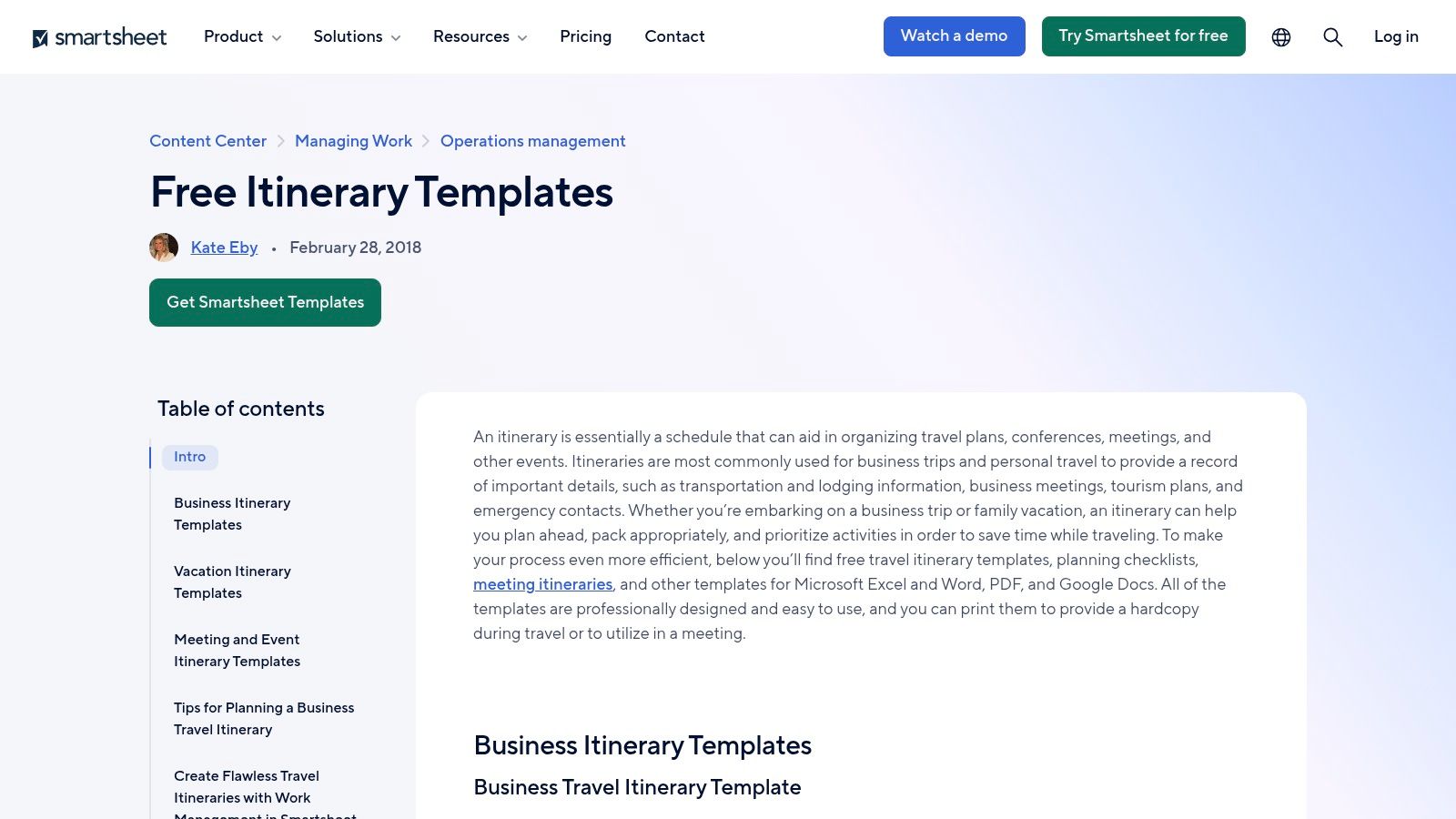
Smartsheet is the safest pick when you need a clean document fast and you don't want to force anyone into new software. Its downloadable travel formats are easy to share, print, and hand off, which makes it a practical choice for assistants who still run a lot of travel through email and PDF. The trade-off is obvious, it behaves like a file cabinet, not an operating system.
Where it fits in the EA workflow
A static template works best when the trip is already locked and the principal wants a quick reference they can print or forward. Smartsheet's business travel and flight formats are straightforward enough for that, and the companion checklist helps you cover the obvious gaps before departure. If your team likes a familiar corporate look, this feels safe.
The real value is not polish, it's consistency under time pressure.
A useful executive assistant travel itinerary template here should include flight numbers, terminals, ground transport, hotel details, meeting locations, contacts, and cancellation notes, all on one page. That structure makes it easier to react when a driver is late or a meeting moves across town. Smartsheet's own site is the place to start: Smartsheet free itinerary templates.
Filled sample and limitation
For a single-day trip, I'd use it like this, outbound flight, meeting address, return flight, driver contact, and one contingency note for each leg. For a VIP arrival, I'd add terminal, meet-and-greet contact, luggage handling, and an escalation name in case the flight changes after wheels-up.
- Customization checklist: Add traveler preferences, loyalty numbers, hotel confirmation, local time zone, and emergency contact.
- Big limitation: It doesn't sync with calendars or booking tools, so every change is manual.
If you need a more polished VIP-facing version later, this internal guide on how to make itinerary planning for VIPs pairs well with a static file like this.
2. Base (BaseHQ)
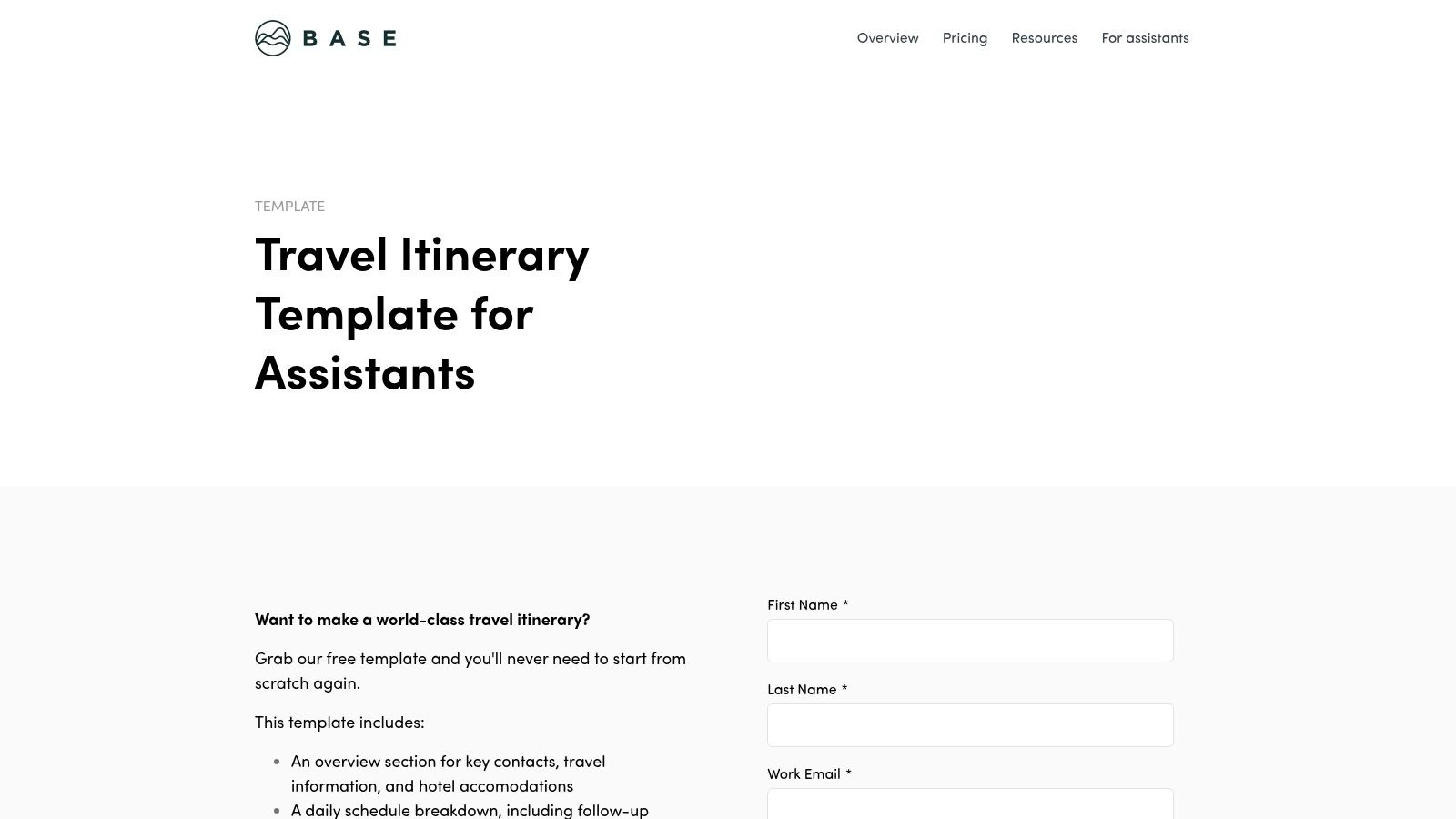
Base suits an EA who must send a principal-ready brief under deadline. Its EA-oriented layout works in a Google Doc or compact digest, keeping the document readable for an executive who needs decisions, timings, and confirmations without a project board.
Why it reads well
Base earns its place as a principal-ready brief because it puts the operational details in a clear order. Dates, times, confirmations, and unresolved approvals stay visible instead of being buried among tracker fields. That makes it a practical choice for executives who skim before leaving for a meeting.
For a multi-day trip, include movement by day, hotel names, dinner reservations, meeting addresses, and a short note on timing risks. For a multi-stop itinerary, show the segment order first. The principal needs to understand where the day starts, where it breaks, and what depends on the previous transfer.
A single-day sample might show the outbound flight, meeting location, return flight, driver contact, and one contingency note. A VIP arrival sample should add the terminal, meet-and-greet contact, luggage handling, host, and room-ready timing. Base can also hold the multi-day version as one concise brief, then receive a revised copy after a schedule change.
The main benefit is a brief the principal can read quickly and act on.
- Customization checklist: Add traveler preferences, loyalty numbers, arrival window, guest information, dietary restrictions, room preferences, local time zone, emergency contact, and permissioned access notes.
- Big limitation: Base is less flexible when a team will not standardize on one platform. Revisions, rebooks, and handoffs still depend on someone maintaining the document.
Its secure intake approach also fits the workflow described in HauteBlack's guidance on travel planning workflow for 2026, particularly when several people provide sensitive trip details.
3. ClickUp
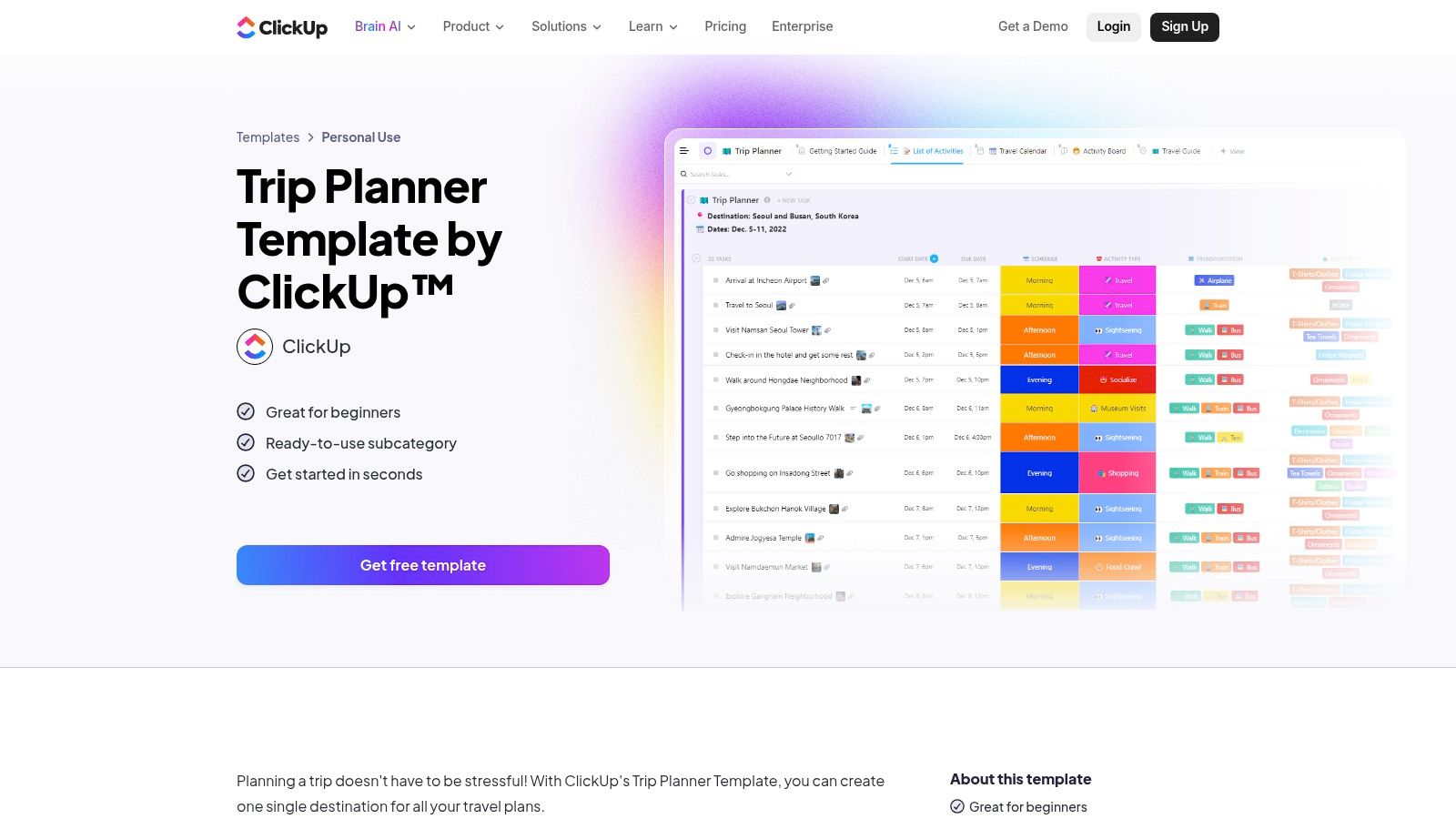
ClickUp is the best fit when the itinerary has turned into a live project. It handles owners, dates, task dependencies, and documents in one place, which is useful for roadshows, board runs, or anything with multiple handlers. It's more work to set up than a simple template, but once it's running, it behaves like a living control tower.
Where living boards win
A living board helps when the trip is not just booked, it's being actively managed. If flights move, someone changes a hotel room, or a meeting owner wants to swap time slots, ClickUp lets the assistant keep the whole chain visible. That's valuable for multi-city travel where one missed update can ripple through the rest of the week.
For a multi-stop trip, I'd set one list per city, then add tasks for flight, hotel check-in, meetings, dinners, and local transport. For a single-day trip, that same structure may be too heavy. The board is powerful, but it's still a board, and boards ask people to keep looking at them.
Filled sample and limitation
A multi-city executive roadshow works well here because you can attach documents, assign owners, and keep the itinerary tied to deadlines. A VIP arrival can also live here, but only if the goal is operational coordination behind the scenes, not a polished brief for the principal.
Use a living board when the trip has more than one person touching it after booking.
- Customization checklist: Add passport and visa fields, hotel cutoffs, owner assignments, approval status, and disruption tasks.
- Big limitation: Workspace setup and onboarding take time, so it's overkill for a simple, printable brief.
4. TravelPerk
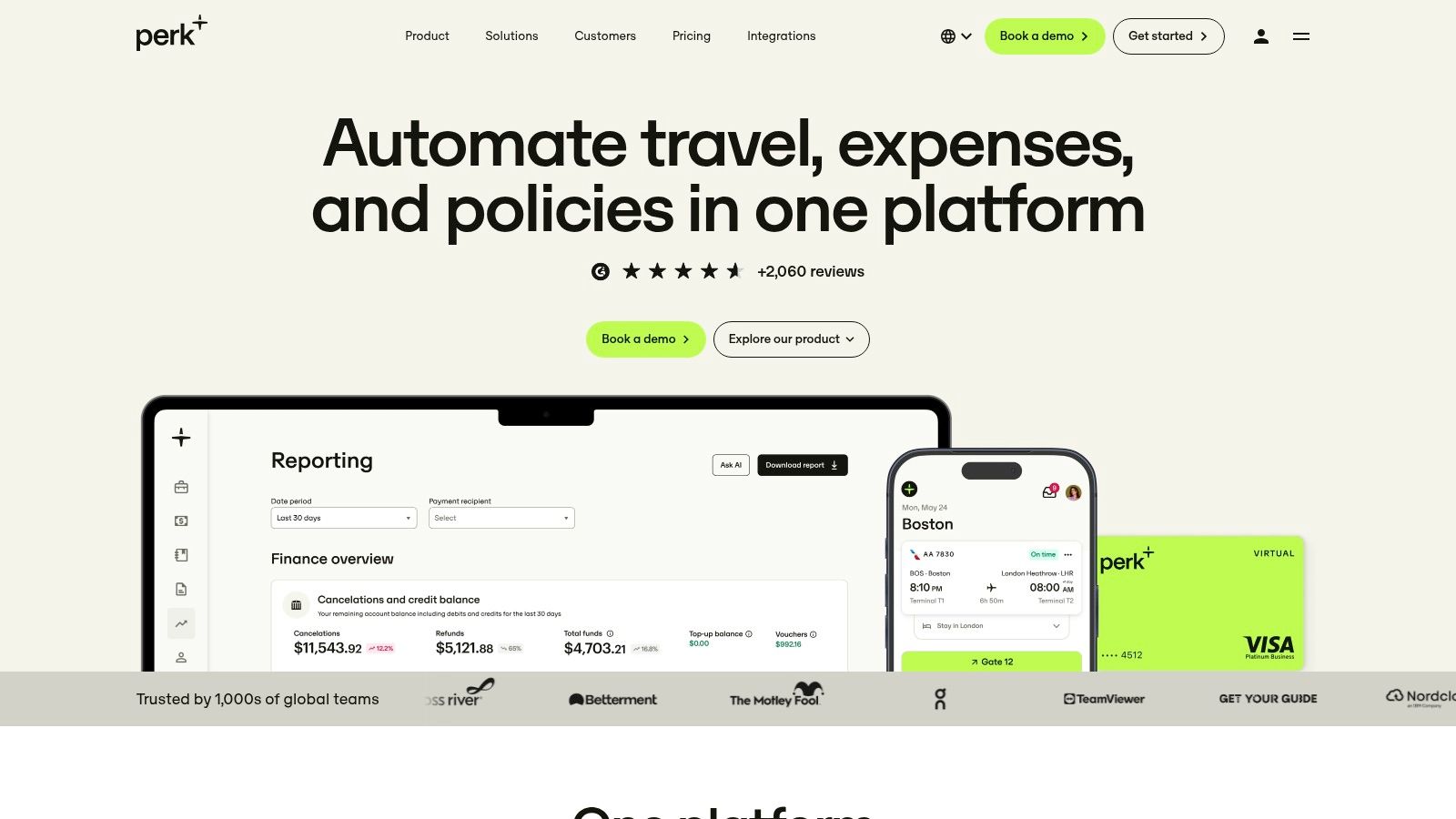
TravelPerk sits in the middle ground between a static one-pager and a full travel management stack. The downloadable business trip format is clean and easy for internal stakeholders to read, and it works best when you need a polished brief fast. In practice, I treat it as the principal-ready document, not the working system behind it.
Why it works for corporate travel
The core value is field mapping. When you build the one-pager, you carry over airline and confirmation numbers, hotel addresses with check-in times, car service pickup points, and local contact names, then convert each booking confirmation into a single line the executive can scan in seconds. For a multi-day trip, that means manually updating the day-by-day grid whenever a flight shifts, since the template itself does not sync. For a VIP arrival, you compress it further: flight number, landing time, driver name and phone, meeting point, and the first appointment after the hotel.
That discipline matters because a good itinerary is a decision-support document, not just a schedule. The planning approach behind executive assistant travel planning in 2026 treats the assistant as the person controlling the movement, and this template gives that control a readable output.
Filled sample and limitation
For a multi-day trip, use it as the principal's brief and keep operational changes in a separate tracker. For a VIP arrival, it works as a crisp arrival summary, but it will not replace a concierge handoff or live monitoring.
Use TravelPerk's template when the output matters more than the process behind it.
- Customization checklist: Add airline, hotel, car service, confirmations, local time, and contact names for every leg.
- Big limitation: It is static unless you are inside the broader platform, so last-minute changes still need manual updates.
5. monday.com
Rank this one as a living project board, not a static one-pager. monday.com earns its place when the trip has deadlines, dependencies, and several people touching the same plan. The board format shows status at a glance, which matters when you are juggling travel bookings, scheduling, and document collection in parallel. As a traveler-facing brief it is weaker, but as the working system behind the trip it holds up well.
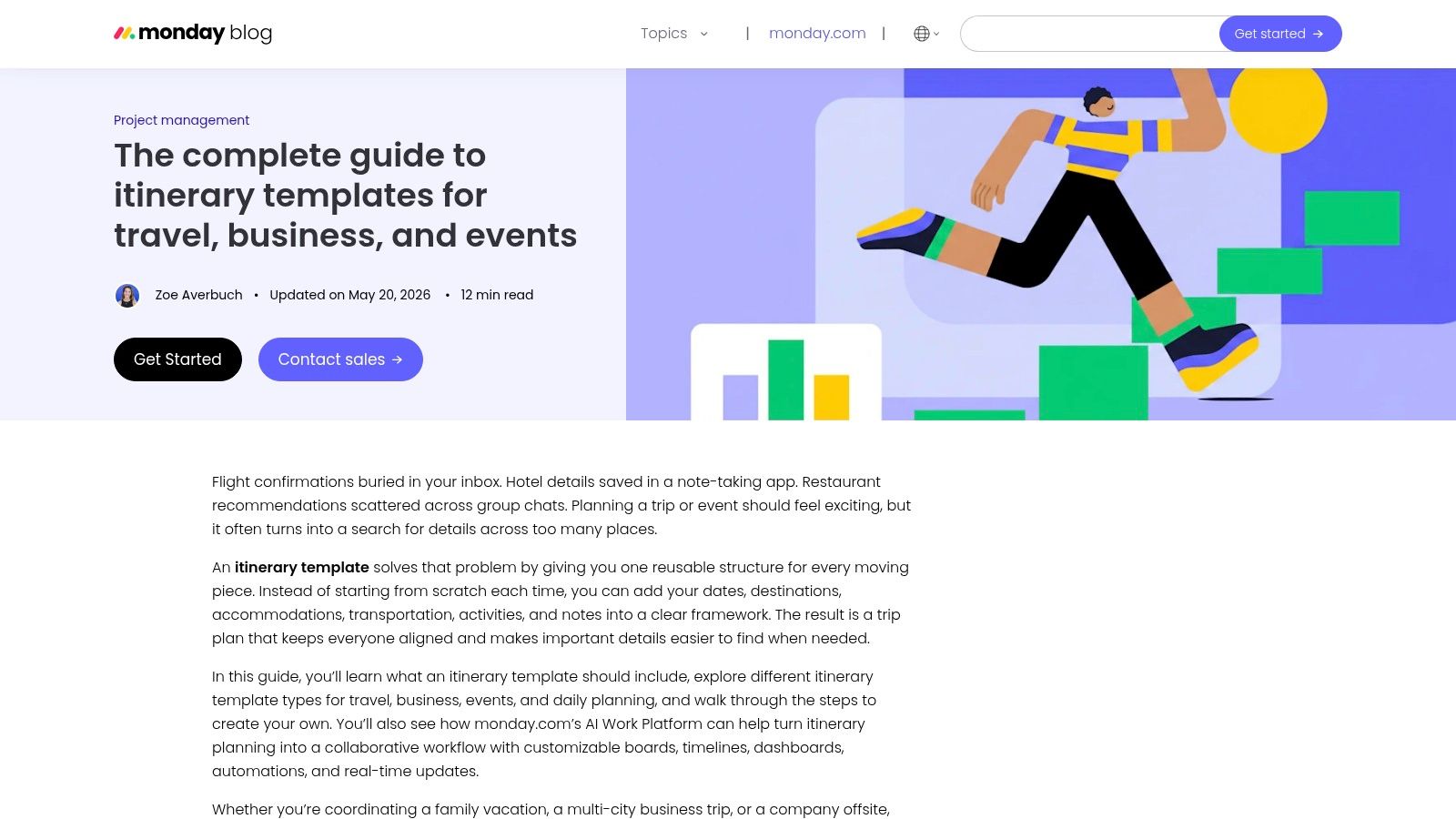
The board structure works because statuses like booked, awaiting approval, ticketed, and changed give you a real control layer instead of a pile of attachments. For a multi-stop agenda, I would create one item per leg and attach maps, files, and local notes to each segment, so nothing lives in a separate folder nobody opens.
The strongest setup is a live board with reminders around ticketing deadlines, hotel cutoffs, and meeting confirmations. That supports the disruption planning mindset reflected in HauteBlack's planning guidance, especially when trip ownership sits with more than one person.
monday.com gives you a control layer, not a document. Use it for the process, then export a clean brief for the principal.
In practice, a single-day trip makes the board feel heavier than necessary. A VIP arrival or a multi-city roadshow is where it pays off, because you can assign responsibility per leg and catch gaps before they become emergencies.
- Customization checklist: status labels, approval deadlines, hotel cancellation terms, driver assignments, escalation contacts.
- Big limitation: the board only helps if the team uses it, so budget for setup and adoption, not just the template.
6. Asana
A flight shifts, finance is waiting on approval, and the chief of staff wants visibility before boarding starts. Asana handles that kind of trip well because it works as a living project board, not a static itinerary.
I use it when the travel file has multiple owners and the handoffs matter as much as the bookings. Legal can review entry requirements, finance can clear spend, and the executive office can track prep without sending another round of “who has this?” messages. The structure is clear on mobile too, which helps when changes hit between meetings.
For workflow, Asana sits in the middle of this list. It is stronger than a one-pager for coordination, and weaker than a polished PDF for principal consumption. That trade-off is usually worth it on longer trips.
A filled setup is straightforward if you organize by trip type instead of dumping everything into one task:
- Single-day: one section for transport, one for meeting logistics, one for return timing.
- Multi-day: daily sections with owners, documents, and reminder rules.
- Multi-stop: one task per leg, with dependencies for hotel, ground transport, and prep.
- VIP arrival: a backstage board for arrivals, security, greeter timing, and contingency actions.
Asana is strongest before the principal reads the itinerary. It keeps the team aligned while the trip is still moving.
I would still export or rewrite the final version before it goes to the traveler. Native Asana views are built for the team doing the work, not for an executive skimming details in a car.
- Customization checklist: add trip phases, task owners, approval points, attached documents, reminder rules, and a final traveler-facing summary.
- Big limitation: the presentation layer takes extra work, so the last-mile handoff is slower than it should be.
7. Canva
The flight is locked, the hotel is confirmed, the driver has the right terminal, and the principal still will not read a cluttered export. That is the moment Canva earns its place. In an EA workflow, it works best as a principal-ready brief. I use it at the end, after the moving parts are stable, when the core job is turning scattered logistics into something clear enough to scan in seconds.
Canva is strongest on trips where presentation affects the handoff. A VIP arrival is the obvious fit, but it also works for hosted travel, board travel, or any trip where the document may be seen by people outside the core team. Clean spacing, branding, and visual hierarchy help the traveler find what matters fast. Privacy is easier to handle too, because you can keep one internal working version and one trimmed traveler copy.
Canva improves the last-mile handoff. It gives the principal a document they will actually open and use.
Here is how that plays out by trip type:
- Single-day: good only if the traveler wants a polished one-pager, otherwise it is more effort than the trip needs.
- Multi-day: useful for a daily brief with hotel, meeting blocks, and key contacts.
- Multi-stop: possible, but layout discipline matters or the file turns busy fast.
- VIP arrival: the strongest use case, especially when timing, names, pickup details, and presentation all matter.
- Customization checklist: add brand kit styling, traveler name, itinerary blocks, contact details, privacy edits, and a mobile-friendly layout.
- Big limitation: Canva does not run the trip. It packages it well, but all tracking, approvals, and change control still happen somewhere else.
8. Engine.com
Engine.com functions as a static one-pager for routine business travel. It is quick to deploy, easy to circulate, and readable without training. I would rank it below a living project board for complex trips, but above a decorative document when the priority is getting dependable logistics into the principal's inbox.
The useful structure is time ordered. Flights, hotels, transport, contact details, and contingency notes sit in one sequence, which makes the document practical for offline sharing. The trade-off is clear: it records the itinerary rather than managing it.
A filled sample by trip type:
- Single-day: 08:10 flight, 09:00 car pickup, 10:00 meeting, 13:00 return flight, with airport and driver contacts beside each entry.
- Multi-day: list each day's flights, hotel, meetings, transfers, and backup contact in chronological order.
- Multi-stop: show every city as a separate block, with local time zones and transport between stops. Formatting discipline matters as the route grows.
- VIP arrival: put the arrival time, driver name, pickup point, hotel address, and confirmation codes at the top for fast handoff.
For a principal who wants a standard PDF and a paper copy, this format earns its place. It also works when the transfer and hotel details are already locked.
- Customization checklist: add contact names, confirmation codes, time zones, backup transport, and a clear emergency contact.
- Big limitation: Engine.com is static and unintegrated. Each change requires manual revision, so it becomes risky when details keep shifting.
9. Corporate Traveler US
Corporate Traveler US belongs near the static one-pager end of an EA's workflow. It is a wallet-card brief, not a living project board. The compact, printable layout suits a principal who wants flights, hotel, and transfers without a planning system.
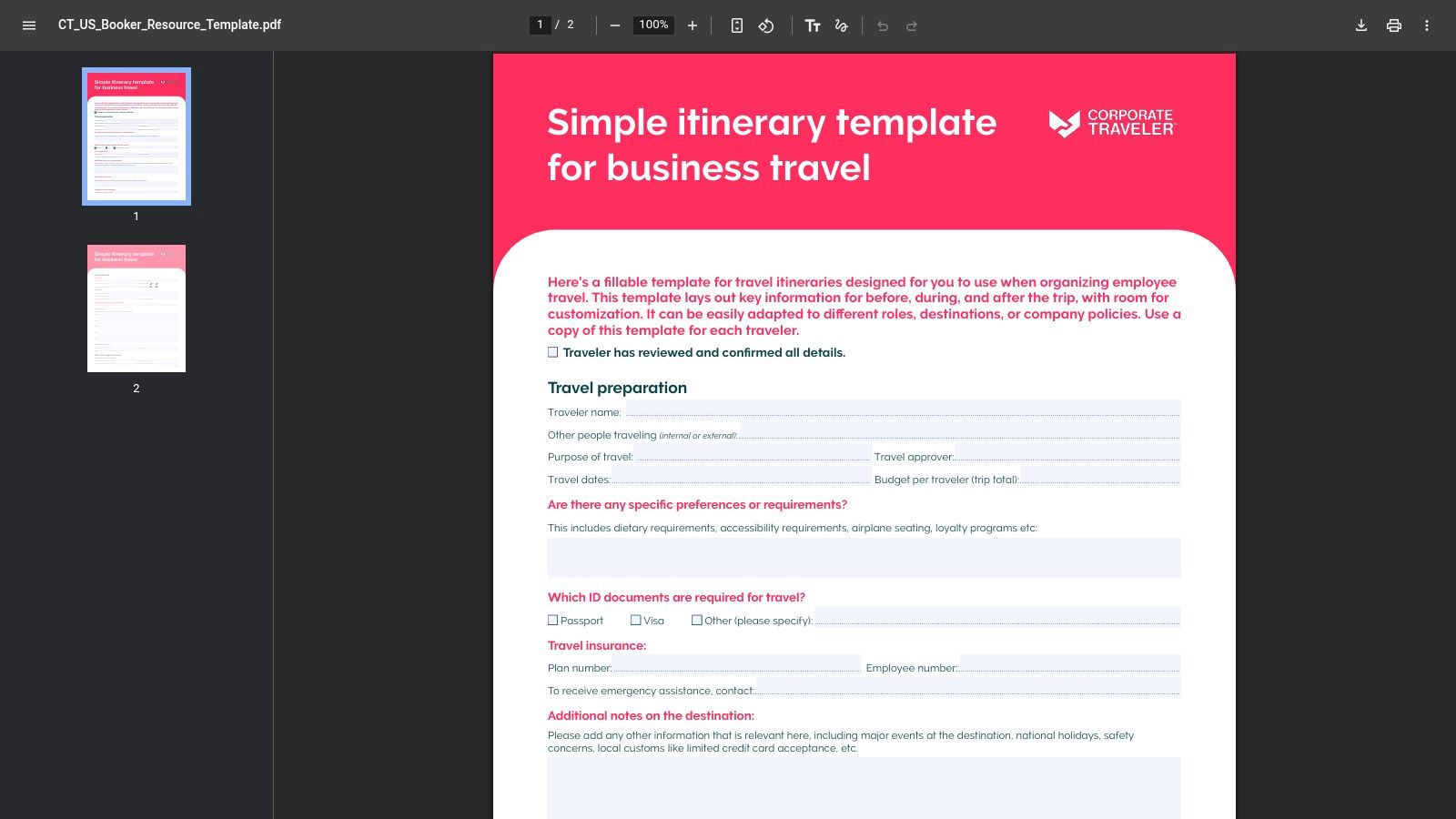
The Corporate Traveler US template works best as a principal-ready brief once logistics are settled. For broader decisions about travel support, see this guide to choosing a travel consultant or travel agent.
A filled version might read:
- Single-day: 08:10 departure, airport transfer, 10:00 meeting, and return flight, with driver and airport contacts beside each entry.
- Multi-day: each day's flights, hotel, meetings, and transfers in one chronological strip.
- Multi-stop: city, local time, transport, and next booking grouped by stop.
- VIP arrival: arrival time, driver, pickup point, hotel address, and confirmation codes at the top.
The checklist: add contact names, confirmation codes, time zones, backup transport, and emergency information. Its main limitation is operational. Every change requires manual PDF revision, which creates risk while bookings shift.
10. Monkey Eating Mango
A last-minute trip is where Monkey Eating Mango earns its keep. It gives you a spreadsheet for control and a Google Docs version for the principal, so you can separate booking detail from the readout they need.
The structure works best as a living handoff for an EA workflow. Keep the sheet as the source for flights, budget, packing, and contacts. Use the Docs version as the brief the traveler can skim in seconds. That split matters on multi-city travel, where the itinerary changes often and the readable version has to stay current without forcing a full rebuild. For a single-day trip, it can feel heavier than a simple one-pager, but the trade-off is clearer ownership of the moving pieces.
The main strength is having one master record and one traveler-facing summary.
A filled sample shows how it handles the four common trip types:
- Single-day: meeting time, airport timing, transport, and return details, with the sheet holding the booking data.
- Multi-day: daily schedule, hotel, transit, packing, and budget live in one record while the Docs file stays clean for the principal.
- Multi-stop: each city gets its own section for local time, transfers, and next booking.
- VIP arrival: arrival time, pickup point, driver, hotel address, and confirmation codes move to the top of the brief.
Customization checklist: add PNRs, daily schedule, budget, packing, contacts, and transport notes.
Big limitation: support is self-serve, and the spreadsheet may need extra formatting if you want it to print cleanly.
Executive Assistant Travel Itinerary Template, Top 10 Tools Comparison
| Solution | Core features ✨ | UX / Quality ★ | Value / Price 💰 | Target audience 👥 | Unique selling points 🏆 |
|---|---|---|---|---|---|
| Smartsheet | ✨ Downloadable itineraries (Excel/Word/Google/PDF) + checklist | ★★★ | 💰 Free templates; enterprise paid | 👥 EAs, ops, corporate coordinators | 🏆 Enterprise-trusted; no account needed |
| Base (BaseHQ) | ✨ EA‑structured template; Google Docs or Digest Builder | ★★★★ | 💰 Free template; platform optional | 👥 Executive Assistants | 🏆 EA‑first guidance; digest-ready one‑pager |
| ClickUp | ✨ Living itineraries, tasks, custom fields, AI agent | ★★★★★ | 💰 Freemium; paid tiers for advanced features | 👥 Teams, multi‑city exec roadshows | 🏆 Centralized logistics + AI assembly |
| TravelPerk | ✨ Executive one‑pager produced by corporate TMC | ★★★★ | 💰 Free (some gated); platform if scaled | 👥 Corporate travel managers, EAs | 🏆 Corporate‑grade polish; pairs with TMC services |
| monday.com | ✨ Itinerary boards, automations, maps & embeds | ★★★★ | 💰 Freemium; best on paid plans | 👥 EAs & ops needing timelines | 🏆 Visual timelines + strong integrations |
| Asana | ✨ Tasks/sections/rules, integrations, mobile apps | ★★★★ | 💰 Freemium; paid for premium features | 👥 Cross‑department teams, EAs | 🏆 Clean collaboration; recurring trip templates |
| Canva | ✨ Brandable, design‑first itinerary templates + exports | ★★★★ | 💰 Freemium; Pro for brand kit | 👥 EAs creating client‑facing VIP briefs | 🏆 Fast, premium visual layouts |
| Engine.com | ✨ Time‑ordered corporate templates in multiple formats | ★★★ | 💰 Free templates | 👥 Corporate stakeholders, admins | 🏆 Standardized, no‑frills, quick deploy |
| Corporate Traveler US | ✨ Single‑page printable itinerary / wallet card | ★★★ | 💰 Free PDF; ready to print | 👥 Busy executives wanting at‑a‑glance | 🏆 Clean, minimal wallet‑friendly format |
| Monkey Eating Mango | ✨ Spreadsheet + one‑click Google Docs; tabs for bookings/budget | ★★★★ | 💰 Low‑cost paid template | 👥 EAs who want spreadsheet + narrative | 🏆 Meetings‑first layout; flexible sharing formats |
Choose the Template Your Principal Will Actually Read
The best executive assistant travel itinerary template is the one your principal will use under pressure. For routine trips, a standard document is usually enough. For multi-city programs, a living board gives you the control layer you need. For VIP arrivals, a short, clean brief wins because it gets read fast and handed off cleanly.
The rule I use is simple. If the trip is static, use a static file. If the trip still has moving parts after booking, use a living board. If the traveler cares more about speed than detail, send a principal-ready brief and keep the working record somewhere else.
Before you send anything, check four things on every leg. Confirmations are correct, contacts are current, ground transport is booked, and the contingency line is written in plain language. If the trip needs private aviation, discreet airport handling, or higher-touch arrival support, HauteBlack's VIP arrival and concierge services are relevant options to reference alongside the itinerary, especially when the schedule can't absorb friction.
A final caution. A polished itinerary is not automatically a resilient one. The best template makes decisions easier when the flight changes, the meeting moves, or the driver is late, and it does that by showing the recovery path, not just the schedule. For more automation-minded workflow ideas, the template gallery for automation is a useful place to compare formats.
HauteBlack helps executives and assistants build travel that reads cleanly and runs smoothly, from bespoke itineraries to VIP recognition and arrival support. If your principal needs a more personalized travel handoff, visit HauteBlack and see how its planning and concierge services can fit around the way you already work.
Explore Our Guides


Signature Experiences